ANTLR’s Siri actions are in the Shortcuts app too. Put them together with Apple’s apps and a few others, and a tap on a ladder starts your sit, a double tap on the back of your phone logs a deer, and your family knows where you’re sitting.
Going inComing outLog a buckSilent holdMorning briefGear check
Ready to add
Eight shortcuts, built for you.
Open one on your iPhone and tap Add Shortcut. ANTLR needs to be installed. Anything personal, like which stand or who to text, the Shortcuts app asks you for the first time you run it.
Who has your gear, and what’s due for replacement.
ANTLR: Ask My Armory
For iPhone with iOS 17 or later. The first run asks to allow ANTLR’s actions, and Messages asks who to send to. To run one on a schedule or when you arrive somewhere, add it to an automation in the Shortcuts app.
Getting in the stand
Start the sit before you start climbing.
Tap to start a sit
Stick a cheap NFC tag on each ladder or blind. Make an automation: when that tag is tapped, start a sit at that stand and turn on your Hunting Focus. Set it to run right away, and one tap of the phone against the tag starts the sit.
NFC tag
ANTLR: Start a Sit
Focus
Start when you arrive
When you arrive at the stand’s location, start a sit there, turn your screen brightness down and turn on your Hunting Focus. Give the location a generous radius: GPS under a canopy can be off by a lot.
Arrive trigger
ANTLR: Start a Sit
Brightness
Focus
Check in for safety
A “Going in” shortcut starts a sit at Big Oak and texts your spouse “In Big Oak, out by dark,” with a map link to where you are. A matching “Coming out” shortcut ends the sit and sends “Out of the woods.”
ANTLR: Start a Sit
ANTLR: End My Sit
Messages
Location
Tell camp where you are
Start the sit and post “Dale’s in Ridge ladder” to the camp group text. That’s for the people who aren’t on ANTLR. Anyone in your ANTLR camp already sees who’s sitting where on the Camp widget.
ANTLR: Start a Sit
Messages or WhatsApp
In the stand
Log it without a sound.
Back Tap to log
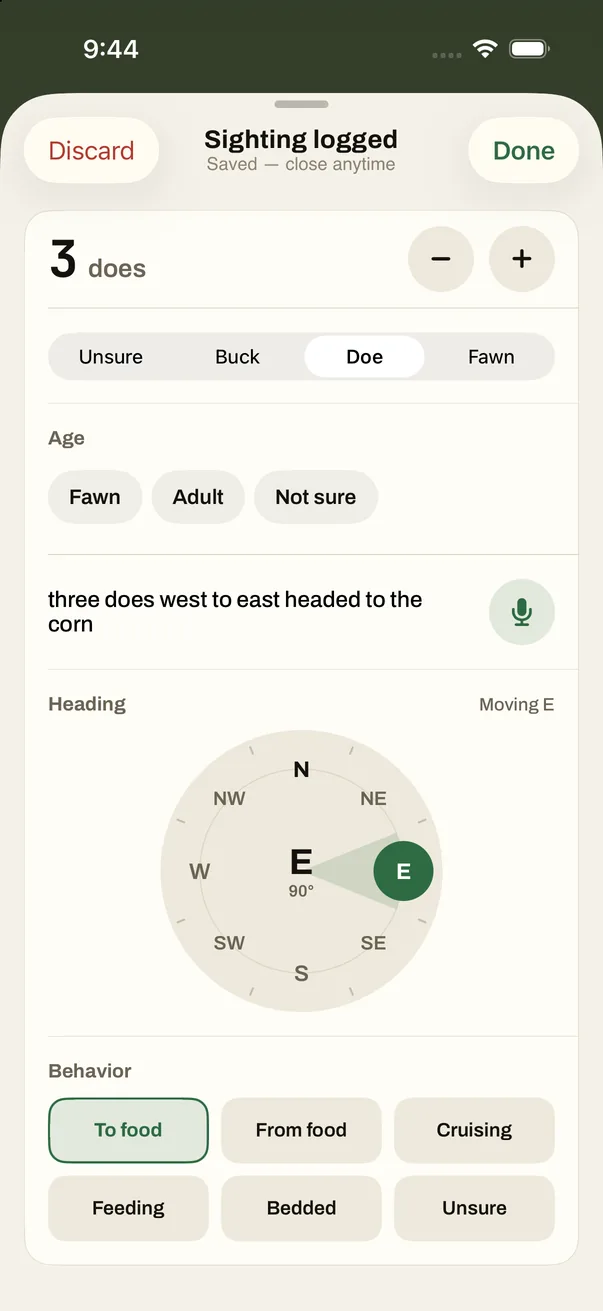
In Settings, Accessibility, Touch, Back Tap, set a double tap on the back of the phone to log a deer and a triple tap to log a buck. It works with the screen on, and you never look at it.
Back Tap
ANTLR: Log a Sighting
A menu on the Action button
A shortcut that asks Doe, Buck, Group or Nothing, logs your pick and vibrates to say it’s done. On an iPhone with an Action button, that’s one press and one tap. Or put ANTLR’s Log a Deer control on the button itself.
Action button
Choose from Menu
ANTLR: Log a Sighting
Vibrate
A silent hold
A shortcut that brings up the number pad and asks “Yards?”, then asks ANTLR for the hold at that distance with your rifle or bow. The hold comes from your own range card, and you never say a word.
Ask for Input
ANTLR: Hold at Range
Your Hunting Focus as the switch
When your Hunting Focus turns on, start a sit. When it turns off, end it. Add ANTLR’s filter to that Focus and only hunt alerts get through while you sit: last light, leave camp, the blood-trail wait.
Focus trigger
ANTLR: Start a Sit
ANTLR: End My Sit
Before and after
The brief before, the lights on after.
Morning brief
When your alarm is stopped, ANTLR reads today’s hunt plan, the wind at your stand and which stand fits right now. Add Apple Weather’s current conditions and Maps’ travel time to the parking spot.
Alarm trigger
ANTLR: My Hunt Plan
ANTLR: Wind at a Stand
Weather
Maps
The night before
At 8:30 PM, ANTLR says which stand fits tomorrow morning and reads tomorrow’s hunt plan. The shortcut adds tomorrow’s forecast and turns on your 4:30 AM alarm.
Time of Day
ANTLR: Which Stand
ANTLR: My Hunt Plan
Weather
Clock
Lights on for the walk out
When your Hunting Focus turns off after dark, end the sit and turn on the porch light and the heater at camp through the Home app.
Focus trigger
ANTLR: End My Sit
Home
The drive in
When CarPlay connects before dawn, ANTLR tells you the wind at your stand and when daylight for shooting starts, through the car’s speakers.
CarPlay trigger
ANTLR: Wind at a Stand
ANTLR: Daylight Left
Your gear
Get it back before Saturday.
Before the weekend
Every Friday evening, “Ask ANTLR who has my gear,” so the climber or rangefinder you lent out comes back before the weekend hunt.
Time of Day
ANTLR: Ask My Armory
Start of the season
On September 1, “Ask ANTLR what needs replacing” to catch a harness or lifeline past the maker’s replacement date before your first sit.
ANTLR says its answer; it doesn’t pass it on. Its actions speak and show what they found, but the next step in a shortcut can’t use it. So a shortcut can’t text your partner the wind ANTLR just told you. Values from other apps, like the weather, travel time and your location, pass along fine.
Some answers need your phone unlocked. My Hunt Plan, My Sits, Hold at Range and Ask My Armory stop and ask for Face ID when the phone is locked. Start a Sit, Log a Sighting, End My Sit, the wind, Which Stand and Daylight Left run on a locked phone.
Let automations run on their own. On iOS 17 and later, choose Run Immediately and turn off Notify When Run, so an automation doesn’t ask first or buzz.
Trust the tag more than GPS. Under timber, your location can say you left while you’re still in the stand. An NFC tag or your Focus is a steadier way to start and end a sit.
Leave Bluetooth on in the stand. Your Apple Watch needs it. Airplane Mode saves battery, and your logs wait on the phone and send later, but the wind won’t refresh.
Apple, iPhone, Apple Watch, CarPlay and Siri are trademarks of Apple Inc., registered in the U.S. and other countries. WhatsApp is a trademark of its owner. ANTLR isn’t made, endorsed or sponsored by either.
Put your hunt on a tap.
Join the betaFor iPhone, through TestFlight. Scan with your camera. [Free scans and trial terms]